Account Details
This screen displays important information about the user profile, allowing you to view and manage personal data. Below are the main sections and features:
Main Information
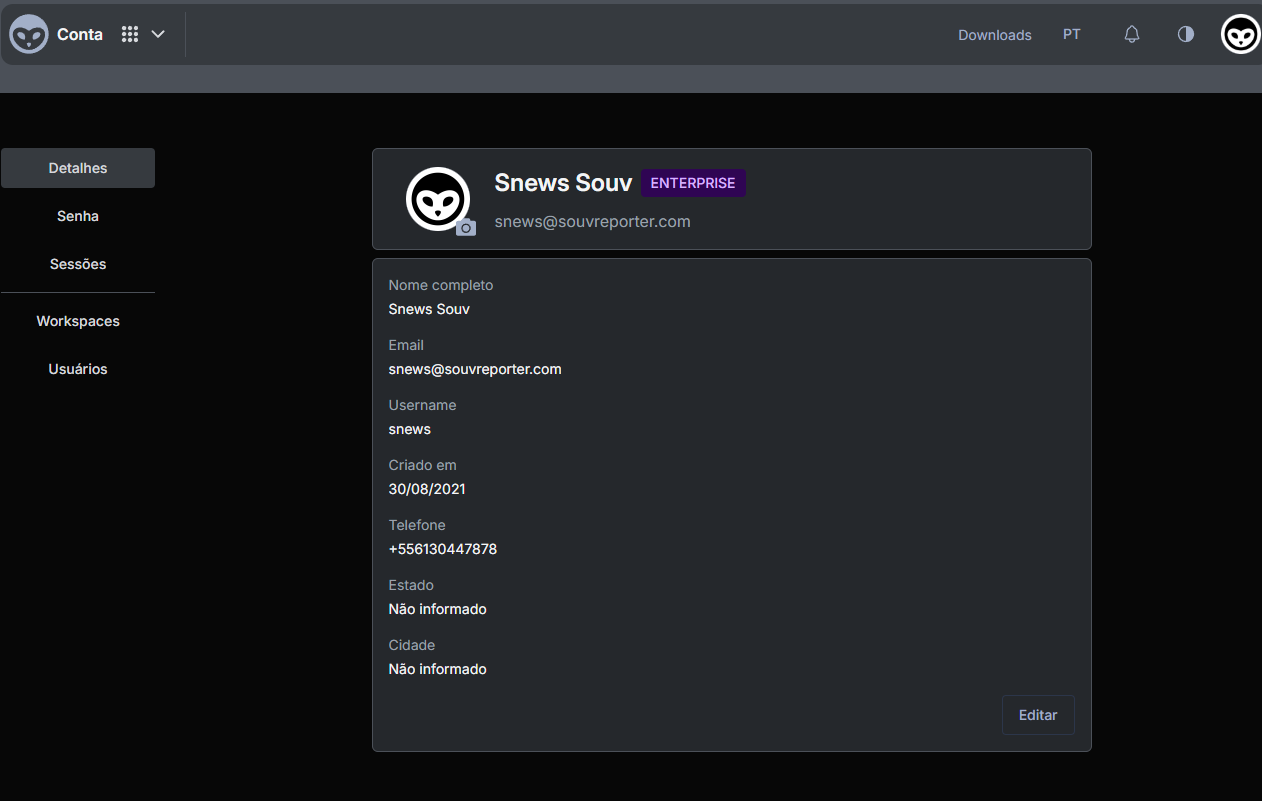 In the central area, you'll find:
- Full name: Displays the user's full name.
- Email: Shows the email address associated with the account.
- Username: Uniquely identifies the user in the system.
- Created on: Account creation date.
- Phone: Contact phone number, if provided.
- State and City: User's location.
Side Menu
On the left side of the screen, there's a navigation menu with the following options:
- Details: Shows basic profile information (this screen).
- Password: Allows changing the account password.
- Sessions: Lists active or recent user sessions, enabling session management or termination.
- Workspaces: Displays and manages the different workspaces the user has access to.
- Users: Manages users (if your account has permissions), allowing adding or removing members and setting their permissions.
"Edit" Button
In the bottom right corner, there's an Edit button. Clicking it allows you to:
- Update personal data: Change name, phone, and other information.
- Edit location data: Modify state and city if needed.
- Save changes: After editing, click Save (or equivalent) to confirm.
Tip: Keep your data up to date to facilitate internal communication and ensure you receive notifications or important information in the right place.
This is the basic step-by-step guide to navigate and manage account information in Souv. For additional questions, check the Frequently Asked Questions section or contact support.