Change Password
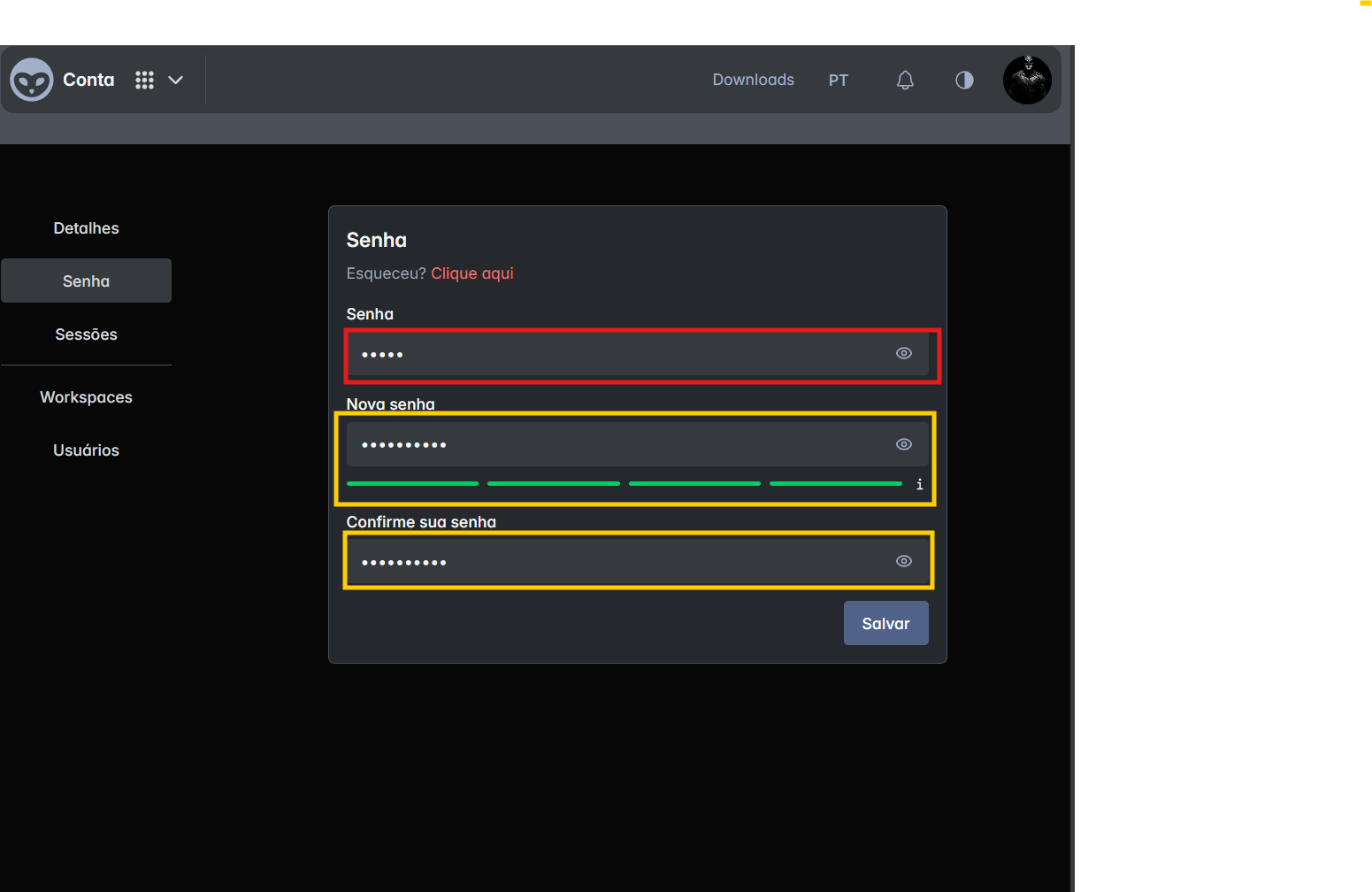 On this screen, you can reset your Souv access password. The interface presents three main fields, plus a password recovery link in case you've forgotten it:
-
Password (Current)
- Field to enter your current password.
- You must correctly enter your current password to create a new one.
- If you've forgotten your password, click the "Forgot? Click here" link to start the recovery process.
-
New password
- Field to set your new password.
- It's recommended to use a combination of uppercase and lowercase letters, numbers, and special characters to increase security.
-
Note: The password must contain at least 1 letter, 8 characters, 1 special character, and 1 number.
-
Confirm your password
- Field to confirm the new password entered above.
- Make sure the password is identical to the "New password" field to avoid confirmation errors.
Saving the Change
After filling in the fields, click the Save button. If all data is valid:
- The password will be updated immediately.
- You can use the new password on your next login.